by Patricia Cloud, Technology Associate at Grand Oak Elementary

Who in their right mind would want to spend free time on a Friday at an afterschool program for more school-like work?
As unbelievable as it sounds, diving into programming with Tynker on Friday afternoons is the highlight of the school week for the kids in my programming club.
Getting Kids Hooked on Programming
As Technology Associate at my school, I knew one of the areas I wanted to introduce my students to was coding. Programming, I believe, is the new literacy, an area children of today need to be familiar with to better prepare them for their future.
Earlier in the year I asked my principal, Raymond Giovanelli, if I could start a Coding Club after school, and with his approval I began searching for a suitable application with which I could introduce programming to kids.
At first I looked at MIT’s Scratch but it did not seem to meet my needs at the time. I wanted something that would explain step-by-step how the student would learn the concept, use the concept, and then assess the concept. I then asked a colleague, an instructional technology specialist, if he knew of something that would be suitable for elementary school students. He recommended Tynker. I went home, tried it, and found it was just right.
Tynker After-School Club
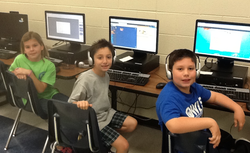
My adventure with Tynker began as an afterschool program that I held every Friday. At first, roughly 20 students ranging from 1st to 5th grade signed up, some of whom expressed disinterest and were only present because of their parents’ insistence. After a long week at school, who wants to spend more time at school on a Friday afternoon? That changed with just the first session we had!
It’s been several months since the club was started and we have more than 25 students each week. They are all growing and learning in their Tynker experience, and they all look forward to Coding Club after school.
Now Tynkering on Friday afternoons is the highlight of my students’ week. One of the students, a young girl, devoured five or six lessons in just a week. Another student, a young boy who was quite shy at first, is now talking a lot about how much he loves coding. In fact recently I had one mom, whose son just joined the club, tell me she wished he had started at the beginning of the year. He is loving all of it.
As unbelievable as it sounds, diving into programming with Tynker on Friday afternoons is the highlight of the school week for the kids in my programming club.
Getting Kids Hooked on Programming
As Technology Associate at my school, I knew one of the areas I wanted to introduce my students to was coding. Programming, I believe, is the new literacy, an area children of today need to be familiar with to better prepare them for their future.
Earlier in the year I asked my principal, Raymond Giovanelli, if I could start a Coding Club after school, and with his approval I began searching for a suitable application with which I could introduce programming to kids.
At first I looked at MIT’s Scratch but it did not seem to meet my needs at the time. I wanted something that would explain step-by-step how the student would learn the concept, use the concept, and then assess the concept. I then asked a colleague, an instructional technology specialist, if he knew of something that would be suitable for elementary school students. He recommended Tynker. I went home, tried it, and found it was just right.
Tynker After-School Club
My adventure with Tynker began as an afterschool program that I held every Friday. At first, roughly 20 students ranging from 1st to 5th grade signed up, some of whom expressed disinterest and were only present because of their parents’ insistence. After a long week at school, who wants to spend more time at school on a Friday afternoon? That changed with just the first session we had!
It’s been several months since the club was started and we have more than 25 students each week. They are all growing and learning in their Tynker experience, and they all look forward to Coding Club after school.
Now Tynkering on Friday afternoons is the highlight of my students’ week. One of the students, a young girl, devoured five or six lessons in just a week. Another student, a young boy who was quite shy at first, is now talking a lot about how much he loves coding. In fact recently I had one mom, whose son just joined the club, tell me she wished he had started at the beginning of the year. He is loving all of it.

Tynker has won over the parents, too. Not only are the kids being productive and learning, they’re actually having fun. Finding something that can motivate kids, teachers, and parents is pretty rare. Tynker hits all the right buttons for parents in terms of creativity and learning, and it appeals to kids because of its games-based approach to programming.
I believe that games-based learning is important; if the mechanics of a game are involved students tend to stay focused and engaged and this helps them learn more efficiently.
I believe that games-based learning is important; if the mechanics of a game are involved students tend to stay focused and engaged and this helps them learn more efficiently.
An Educator’s Dream
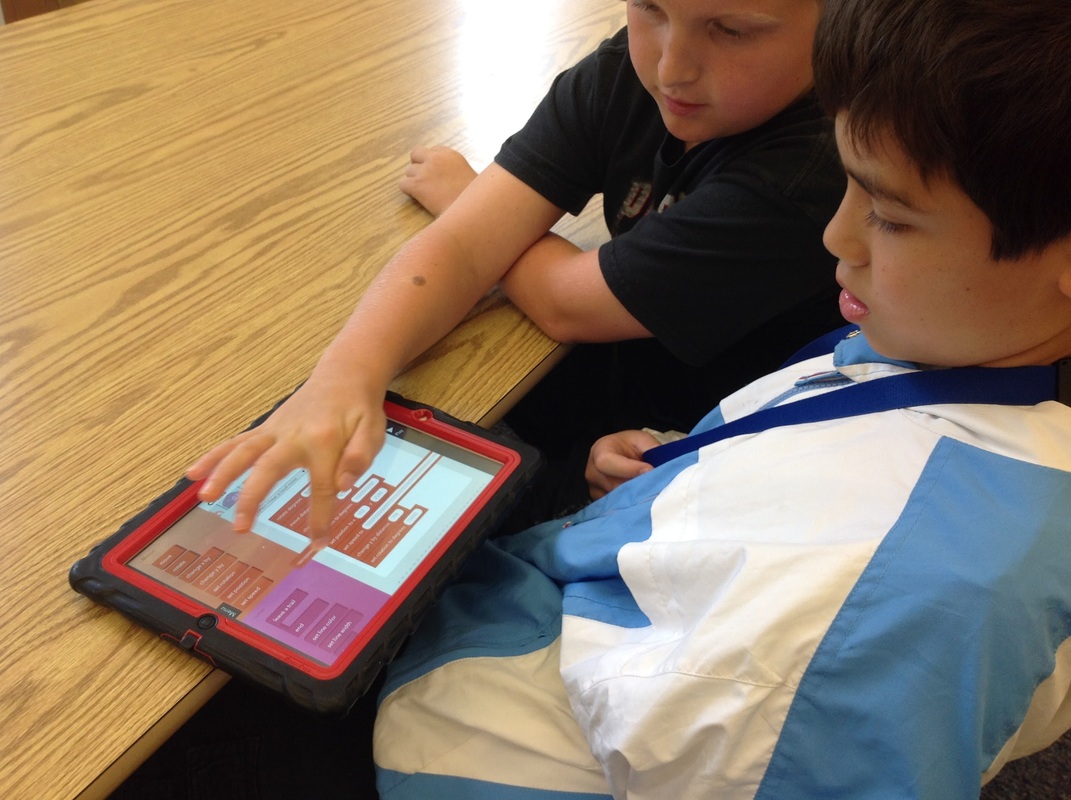
One of the best moments of this adventure was when I saw a third grader teaching some first graders an aspect of Tynker. This kind of collaborative learning is something teachers love to see, and is affirmation that this was an exceptional tool to be using.
Despite having grades 1 through 5 in the same club, Tynker has made it easy to explain the basics to all of them at the same time. I tell them that this is coding, that this is how video games are made–their attention is tangible at this point. They immediately want to dive right into Tynker to make their own applications. What’s wonderful is that they’re learning at the same time; Tynker itself isn’t just a game, it’s a program with which each student learns how to code.
One of the best moments of this adventure was when I saw a third grader teaching some first graders an aspect of Tynker. This kind of collaborative learning is something teachers love to see, and is affirmation that this was an exceptional tool to be using.
Despite having grades 1 through 5 in the same club, Tynker has made it easy to explain the basics to all of them at the same time. I tell them that this is coding, that this is how video games are made–their attention is tangible at this point. They immediately want to dive right into Tynker to make their own applications. What’s wonderful is that they’re learning at the same time; Tynker itself isn’t just a game, it’s a program with which each student learns how to code.
Tynker in Our Curriculum
Along with hosting the afterschool Tynker club, I have taken steps to merge Tynker into my school’s technology curriculum. Earlier we would teach children how to work with iPads, how to save files, how to build blogs, and even how to work with cloud storage. What sets Tynker apart other than the fact it teaches programming, is its ease of use and how it conveys an important core aspect of programming: process. Getting a child to understand the simple idea that to get an object on-screen to do something, you’ve got to physically, and specifically tell it what to do is very difficult. Tynker streamlines that process while making it both fun and easy for the children to digest.
We also moved the club into Tynker Premium after a few weeks. This offered more scope for learning and teaching. My students continue to learn every week, and enjoy the journey with Tynker.
Along with hosting the afterschool Tynker club, I have taken steps to merge Tynker into my school’s technology curriculum. Earlier we would teach children how to work with iPads, how to save files, how to build blogs, and even how to work with cloud storage. What sets Tynker apart other than the fact it teaches programming, is its ease of use and how it conveys an important core aspect of programming: process. Getting a child to understand the simple idea that to get an object on-screen to do something, you’ve got to physically, and specifically tell it what to do is very difficult. Tynker streamlines that process while making it both fun and easy for the children to digest.
We also moved the club into Tynker Premium after a few weeks. This offered more scope for learning and teaching. My students continue to learn every week, and enjoy the journey with Tynker.
Gaining Steam
I’ve been speaking with another facilitator in our district who is setting up an after school program for at-risk children. I’ve recommended that he use Tynker. He’s fashioning the program to educate and engage 45 to 50 students after school so they can stay out of trouble outside of school. Introducing coding with Tynker to these students will work wonders for them; they already know the basics of gaming, but they need to learn that playing video games goes hand-in-hand with coding. Tynker will simplify that process.
Sharing the Success
This March I, along with the Instructional Technology Specialist who introduced me to Tynker, will be presenting at the North Carolina Technology in Education Society (NCTIES) Conference. The title of our presentation? “Learn, Teach, Code!”, and we will be talking about how I use Tynker to introduce elementary students to computer science.
Valentine’s Day with Tynker
This February I challenged the Coding Club to take what they had learned from Tynker (no matter where they were in their lessons) and create. I specifically asked them to create Valentine cards for their families. Click on the image below to visit our Valentine’s Day showcase page where you can ‘play’ the cards students created.
I’ve been speaking with another facilitator in our district who is setting up an after school program for at-risk children. I’ve recommended that he use Tynker. He’s fashioning the program to educate and engage 45 to 50 students after school so they can stay out of trouble outside of school. Introducing coding with Tynker to these students will work wonders for them; they already know the basics of gaming, but they need to learn that playing video games goes hand-in-hand with coding. Tynker will simplify that process.
Sharing the Success
This March I, along with the Instructional Technology Specialist who introduced me to Tynker, will be presenting at the North Carolina Technology in Education Society (NCTIES) Conference. The title of our presentation? “Learn, Teach, Code!”, and we will be talking about how I use Tynker to introduce elementary students to computer science.
Valentine’s Day with Tynker
This February I challenged the Coding Club to take what they had learned from Tynker (no matter where they were in their lessons) and create. I specifically asked them to create Valentine cards for their families. Click on the image below to visit our Valentine’s Day showcase page where you can ‘play’ the cards students created.
This blog post was also featured in Tynker's blog in February 2014.
ABOUT THE AUTHOR:
Trish Cloud is the Technology Associate at Grand Oak Elementary. When the school opened this year she asked her principal if she could start a Coding Club not knowing if there would be any interest. She had started using some coding apps the previous year with students at Torrence Creek. When she had some students sign up, they dove right in with Tynker, Kodable, Hakitzu, and Gamestar Mechanic. She has been happy to see how much the students have enjoyed it. Plus, it has been exciting for the students to talk to the creators of Kodable and Hakitzu via Skype and Google Hangout. She still sees that her students have a good foundation in knowing how to keyboard, create and save documents locally or in the cloud, make presentations, and understand digital citizenship. Trish's passion for learning new things drives her to always be on the lookout for ways to challenge and stretch students' view of technology. She is a huge fan of games based learning and finding ways to use coding and games in her classes (particularly Minecraft).
Trish Cloud is the Technology Associate at Grand Oak Elementary. When the school opened this year she asked her principal if she could start a Coding Club not knowing if there would be any interest. She had started using some coding apps the previous year with students at Torrence Creek. When she had some students sign up, they dove right in with Tynker, Kodable, Hakitzu, and Gamestar Mechanic. She has been happy to see how much the students have enjoyed it. Plus, it has been exciting for the students to talk to the creators of Kodable and Hakitzu via Skype and Google Hangout. She still sees that her students have a good foundation in knowing how to keyboard, create and save documents locally or in the cloud, make presentations, and understand digital citizenship. Trish's passion for learning new things drives her to always be on the lookout for ways to challenge and stretch students' view of technology. She is a huge fan of games based learning and finding ways to use coding and games in her classes (particularly Minecraft).
 RSS Feed